Zipper Lock Screen: Zip Style
MGlobalPersonalization
4.821.00 Reviews
- Version
- 1.2611.14
- Installs
- 1.00M
- Age Rating
- Everyone
Screenshots
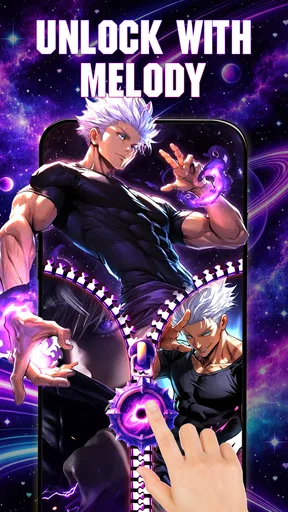
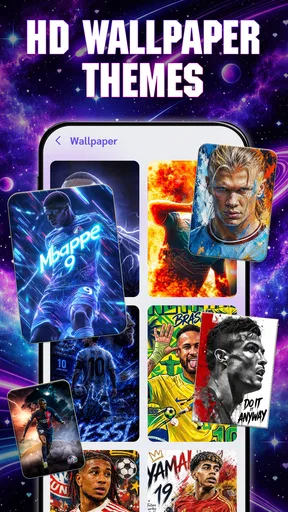
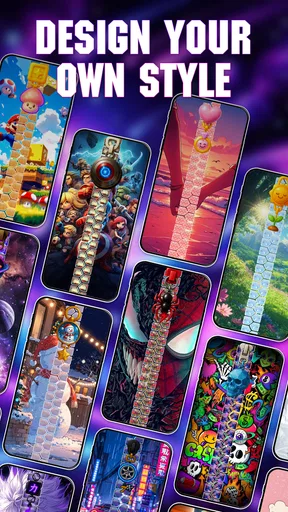
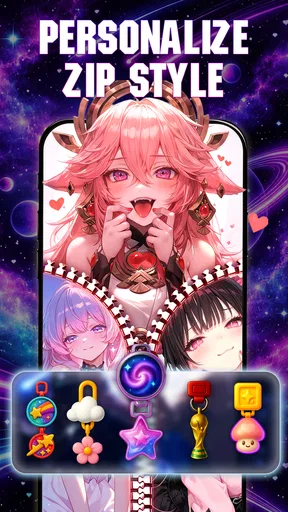
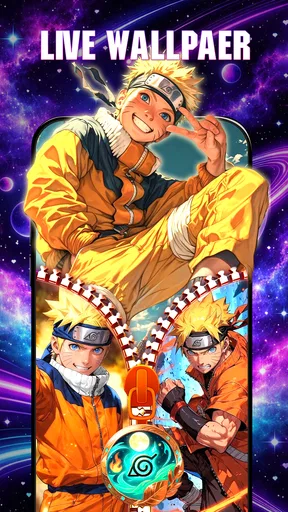
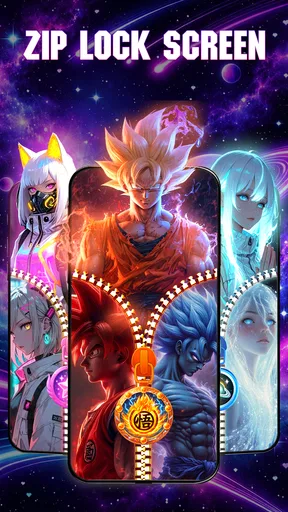
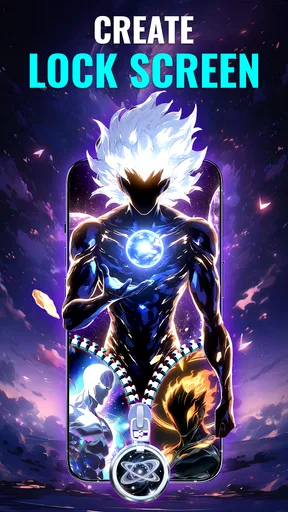
Our Review of Zipper Lock Screen: Zip Style
 Analysis by Appyee
I installed Zipper Lock Screen: Zip Style because I wanted a lock screen that felt more personal than the standard clock, notifications, and wallpaper combination. The app comes from MGlobal and sits in the personalization category, with a simple idea at its center: make unlocking feel like opening a zipper while giving the screen a more decorative look. That sounds small, but a lock screen is something I see dozens of times during an ordinary day, so even a modest visual change can affect how a phone feels.
My first impression was that this is best understood as a visual customization tool rather than a replacement for every part of a phone’s security system. It is aimed at people who enjoy themed screens, playful transitions, and a more noticeable first glance when waking the device. If you want a quiet, nearly invisible lock screen that disappears into the background, the effect may feel unnecessary. If you like changing your phone’s appearance and want the lock screen to participate in that style, the concept is much more appealing.
From an ordinary lock screen to a zipper-style routine
The starting condition for my test was familiar: a phone with a functional but unremarkable lock screen. The wallpaper did its job, the time was visible, and notifications appeared as expected, but there was no sense that the screen had been customized beyond the basics. This is exactly the gap the app tries to fill. Instead of treating unlocking as a purely practical gesture, it turns that moment into a small visual interaction.
The app is free, which makes experimenting with it easy. I did not have to decide whether a dramatic lock-screen style was worth paying for before seeing how it fit into my routine. Its age rating is Everyone, so the presentation is broadly accessible rather than built around mature themes. That does not automatically make every style suitable for every taste, but it does make the app feel approachable for casual personalization.
After opening it, I approached the setup as I would with any lock-screen customization app: first checking the available visual direction, then considering whether the result would remain readable in real use. A pretty preview is not enough. The time must still be easy to find, the unlocking gesture should not feel awkward, and the screen should remain useful when I am in a hurry.
Choosing a look without losing everyday readability
The zipper concept gives the customization a recognizable identity. Rather than simply placing a new image behind the clock, the app makes the opening motion part of the presentation. That distinction matters because it changes the feeling of the interaction itself. I found the effect more noticeable than a conventional wallpaper swap, but also more dependent on personal taste. Some people will enjoy the theatrical touch; others will prefer a faster, cleaner transition.
My practical advice is to judge a theme in three situations instead of only in the selection screen. Check it in bright indoor light, in a dark room, and while holding the phone with one hand. A design that looks attractive in a preview can make text harder to read once icons, time, and notifications are layered over it. The zipper should support the screen, not compete with the information you need immediately.
This is one of the app’s less obvious trade-offs: the more decorative the lock screen becomes, the more important contrast and spacing are. A bold visual can make the phone feel distinctive, but it may also slow down the glance-and-go habit that many people rely on. I would choose a calmer style for a work phone and reserve the more expressive options for a personal device.
The actual handoff between customization and unlocking
The most important part of the workflow is the handoff from the app’s appearance to the phone’s normal use. A lock screen is not an isolated picture. It sits between the device being asleep and the moment an application opens, so the experience has to make sense in both directions. I paid attention to whether the zipper interaction felt like a natural first step or like an extra obstacle placed in front of the home screen.
For a casual morning check, the effect can be enjoyable. I wake the phone, see the themed screen, and perform the zipper-style action before continuing to messages or another app. That sequence gives the device more personality. The same sequence is less charming when I am trying to respond quickly, especially if I repeat it many times within a short period.
This is where I think expectations should stay realistic. The app’s appeal is not that it makes a phone faster. Its appeal is that it makes the transition into the phone more expressive. Users who value speed above visual character may find the extra interaction irritating, while users who enjoy animated customization may see it as the main reason to install it.
How it fits with the rest of the phone
A useful lock-screen setup has to coexist with the phone’s existing habits. I considered the moments when I would normally wake the display just to check the time, glance at a notification, or decide whether to unlock. In those cases, the themed screen adds value only if the information remains immediately legible. The zipper effect is more successful when it frames the content rather than forcing me to study the decoration first.
I would also separate the app’s visual role from the phone’s deeper security choices. Personalization can change how unlocking looks, but it should not be treated as a substitute for the device’s established protection. I would keep my usual security method in mind and make sure the new presentation does not encourage me to weaken it for convenience. The best result is a customized entrance that still respects the way I normally protect the phone.
This handoff is especially relevant for anyone who uses notifications heavily. If your lock screen is a control panel for incoming messages, reminders, and calls, you should evaluate the theme as an information surface, not just as a decoration. People who mostly unlock directly and rarely read notifications from the lock screen will probably notice the visual effect more than any possible loss of glanceability.
A realistic day with the app
Imagine starting the day with the phone on a bedside table. I pick it up, wake the display, and see the zipper-styled screen instead of the default arrangement. I open it, check a message, and put the phone down. Later, while commuting, I repeat the action several times to check the time and notifications. In the evening, I show the customized screen to a friend who notices the unusual unlocking style.
That scenario captures both sides of the experience. The first and last interactions feel personal because the visual change is noticeable. The repeated checks in the middle are where convenience becomes more important. If I were using the app every day, I would select a theme that keeps the zipper gesture visually clear and the clock easy to read, rather than choosing the most elaborate design available.
Another practical use is matching the lock screen to a temporary mood or phone theme. Someone might want a more playful appearance on a personal handset without changing the launcher, icons, and every application individually. The app can provide that sense of change at the first screen people see, which is a more focused approach than rebuilding the entire interface.
What the numbers suggest about its audience
The app has a 4.7 average from around 489 ratings, and it has passed 100K+ installs. Those figures suggest that the zipper-lock-screen idea has found an audience, although they do not tell me whether it will suit a particular phone or personal routine. I read that reception as encouragement to try it, not as a reason to assume the experience is universal.
MGlobal’s app is currently at version 1.2607.30 and works from Android 7.0 onward. That broad system reach is useful for people with older Android phones who still want a more distinctive lock screen. At the same time, compatibility across many Android versions can mean that the exact behavior may feel different from one device to another, especially when manufacturers customize their own lock-screen behavior.
Because it is free, the main cost is not money but attention: setup time, adjustment, and the possibility that the interaction becomes tiring. That is a fair exchange for an app whose purpose is cosmetic and experiential. I would be less forgiving of friction in a banking or productivity tool, but a personalization app has more room to be playful as long as it does not get in the way of basic access.
Where the flow becomes less convincing
The biggest weakness is the possibility of repetition fatigue. A zipper animation is interesting because it is different, but the novelty can fade when it appears every time the phone wakes. I noticed that the same feature that makes the app memorable can also make it feel like a small delay during urgent checks. This is not a defect for everyone; it is a question of how often you wake your phone and how much you enjoy animated transitions.
There is also a visual compromise between personality and clarity. A highly styled lock screen may look excellent in a screenshot while being less practical with real notifications, changing light, or a busy background. I would not choose a theme solely because it looks impressive in the app’s preview. I would test whether the time remains readable from a normal distance and whether the unlocking action is obvious without concentration.
Another point is that this kind of app competes with the usual alternatives in a narrow way. A standard wallpaper is simpler and normally introduces no new unlocking habit. A launcher or icon pack can change much more of the phone’s appearance, but requires broader setup and may not alter the lock screen at all. A manufacturer’s built-in lock-screen tools may integrate more naturally with the device, while this app offers a more specific zipper identity. The right choice depends on whether you want one distinctive entrance or a complete visual redesign.
I would skip it if you need an extremely minimal lock screen, if you dislike animated interactions, or if you wake the phone constantly for split-second checks. I would also be cautious if your device already has a heavily customized lock-screen system and you prefer everything to behave exactly as the manufacturer designed it. In those cases, the built-in option may be less exciting but more predictable.
Small habits that make the setup better
My first tip is to treat the lock screen as a working surface, not a poster. After selecting a style, test it with your normal notification load. If you usually receive several alerts, the theme must leave enough visual breathing room for them. If your phone is quiet, you can afford to prioritize the zipper effect and decorative background more heavily.
My second tip is to give the app a short trial during your busiest part of the day, not only during relaxed browsing. The real question is whether the gesture still feels pleasant when you are late, carrying something, or checking the phone repeatedly. A style that survives those moments is more likely to remain installed than one that only impresses during setup.
My third tip is to choose based on the phone’s physical use, especially one-handed operation. The zipper action should feel natural with the hand you normally use. If the visual cue encourages a movement that feels awkward or requires repositioning the phone, the novelty is not worth the inconvenience. This is a small detail, but it affects every unlock.
I would also keep a simple fallback in mind. If the zipper treatment starts to feel repetitive, switching back to the phone’s normal lock screen may be preferable to abandoning customization altogether. The app works best when it adds enjoyment rather than becoming a commitment. Its free price makes that experiment-and-reassess approach especially reasonable.
Who will enjoy it most
This app is a good match for someone who sees the phone as a personal accessory and enjoys visible changes to its interface. It is particularly suitable for users who want a focused customization project rather than a complete launcher overhaul. The zipper interaction gives the screen a clear theme, so the result feels more intentional than simply applying another background image.
It may also suit families or younger users who appreciate a playful visual style, while the Everyone rating keeps the presentation broadly accessible. Still, I would judge the final theme individually. A general age rating does not mean every design will appeal to every adult, and a decorative lock screen may feel too busy for someone who prefers understated software.
People who should choose another route are those who care most about instant access, maximum simplicity, or deep system integration. A built-in lock screen is likely the better choice when reliability and consistency matter more than visual novelty. A broader personalization suite is better when you want matching icons, widgets, fonts, and home-screen elements rather than a single themed entry point.
My final take after following the full workflow
After moving from an ordinary lock screen to a themed zipper interaction, I found the app’s value easy to understand: it turns a routine action into a small piece of visual expression. The result is most convincing when the chosen style stays readable and the gesture feels natural. The app does not need to transform the whole phone to be worthwhile; its strength is the focused change at the moment the device comes to life.
At the same time, I would not recommend installing it blindly for every Android user. The repeated animation can become tiring, and the decorative design may compete with notifications or quick time checks. Those are genuine limitations, not reasons to dismiss the app. They simply mean the app should be judged by your unlocking habits rather than by the preview alone.
With a 4.7 average, more than 100K+ installs, a free model, and support beginning with Android 7.0, it is an accessible experiment for people who enjoy lock-screen personalization. My recommendation is to try one style, use it through a busy day, and keep it only if the handoff from waking the phone to reaching your apps still feels comfortable. Its best result is a lock screen that feels like you without making the phone harder to use.
Privacy and Permissions
See what permissions an app requests and how it handles your data.
- Wi-Fi connection information
- view Wi-Fi connections
- Other
- view network connections, disable your screen lock, full network access, run at startup, set wallpaper, draw over other apps, control vibration, prevent device from sleeping, Google Play license check
Verdict
Strengths of Zipper Lock Screen: Zip Style
- Zip animation gives the lock screen a playful, distinctive look.
- Several zipper and background styles help personalize the interface.
- Quick access to the camera and other shortcuts is convenient.
- The app is simple to set up without advanced technical knowledge.
- Works well as a novelty lock screen for themed phones.
Limitations of Zipper Lock Screen: Zip Style
- Some features may require in-app purchases or display advertising.
- Extra lock-screen layers can make unlocking feel slower.
- Compatibility may vary with newer Android security settings.
- It may consume additional battery while running in the background.
- The style can feel less secure than the phone’s built-in lock screen.
Similar Picks in This Category
View All
Microsoft SwiftKey AI Keyboard
SwiftKey4.3

Wallpapers
Google LLC4.1

Zedge™ Wallpapers & Ringtones
Zedge4.7

Yandex Browser with Alice AI
Direct Cursus Computer Systems Trading LLC4.3

Ringtone Maker:create ringtone
Big Bang Inc.4.7

Fonts Keyboard
Fonts Keyboard3.9
Frequently Asked Questions
What is Zipper Lock Screen: Zip Style and how does it work?
Zipper Lock Screen: Zip Style is a personalization app that gives your Android device a zipper-inspired lock screen. After enabling the required lock-screen settings, you can swipe or pull the virtual zipper to reveal your home screen. The app is mainly designed for visual customization, adding a playful animation and themed appearance rather than replacing every security feature provided by your phone.
Does Zipper Lock Screen: Zip Style provide real protection for my phone?
The app is primarily a decorative lock-screen experience, so its security level may depend on your device settings and the way the application is configured. It should not automatically be considered a replacement for Android’s PIN, password, pattern, fingerprint, or face-unlock protection. Before relying on it, check whether your standard system lock remains active and test the screen after restarting the phone or receiving notifications.
What permissions does Zipper Lock Screen: Zip Style require?
Depending on the Android version and the features enabled, the application may request permissions related to displaying over other apps, accessibility, notifications, or running in the background. These permissions can be necessary for showing a custom lock screen, but they should still be reviewed carefully. Only grant access that you understand, and disable permissions that are not needed for the experience you want.
Can I customize the zipper lock screen and its appearance?
The main appeal of Zipper Lock Screen: Zip Style is its visual customization. Available options may include different zipper designs, backgrounds, colors, sounds, and animation styles, although the exact selection can vary by version or device. In testing this type of app, customization is generally straightforward, but some themes or features may be limited, supported by advertising, or offered through optional in-app purchases.
Will Zipper Lock Screen: Zip Style affect battery life or phone performance?
A simple lock-screen animation should not place a heavy load on a modern phone, but apps that remain active in the background or use overlay services can consume additional battery and memory. The impact is usually modest, yet it may be more noticeable on older or less powerful devices. If you experience delayed unlocking, excessive notifications, or battery drain, review the app’s background permissions or uninstall it.
